

What are Checkout Line Items?
Checkout line items are the individual charges that make up a checkout total. Think of them like items on a receipt—each line item represents a product, service, fee, discount, or adjustment. Why use line items:- Itemized billing: Show customers exactly what they’re paying for
- Transparency: Clear breakdown of charges
- Discounts: Apply discounts to specific items or the total
- Complex pricing: Handle multiple products, fees, taxes, etc.
- Product: $50.00
- Shipping: $5.00
- Tax: $4.00
- Total: $59.00
Value Types Overview
Revolv3 supports different value types that determine how each line item affects the total:Standard Charges
Standard is the default value type. It adds the amount to the total.Example
- Product 123: $1.09
Fixed Discounts
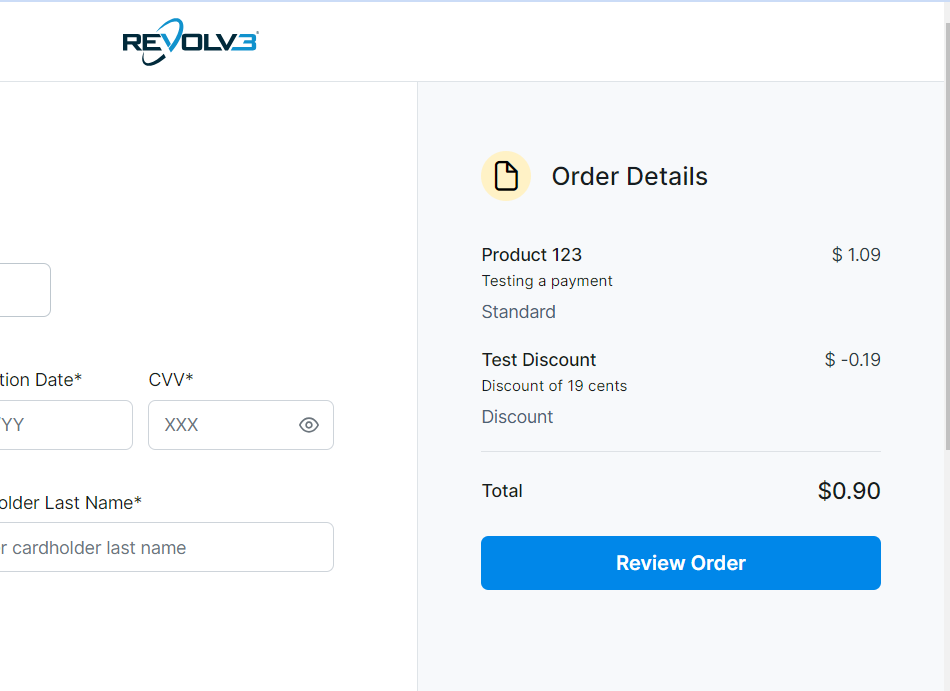
Discount subtracts a fixed dollar amount from the total.Example: Product with Discount
- Product 123: $1.09
- Discount: -$0.19
- Total: $0.90
- Product 123: $1.09
- Test Discount: -$0.19 (shown in red or with minus sign)
- Total: $0.90
Percentage Discounts
DiscountPercentage applies a percentage discount to the total.Example: 19% Discount
- Product 123: $1.09
- 19% discount: $1.09 × 0.19 = $0.21 (rounded)
- Total: $0.88
- Product 123: $1.09
- % Discount: -19% (or -$0.21)
- Total: $0.88
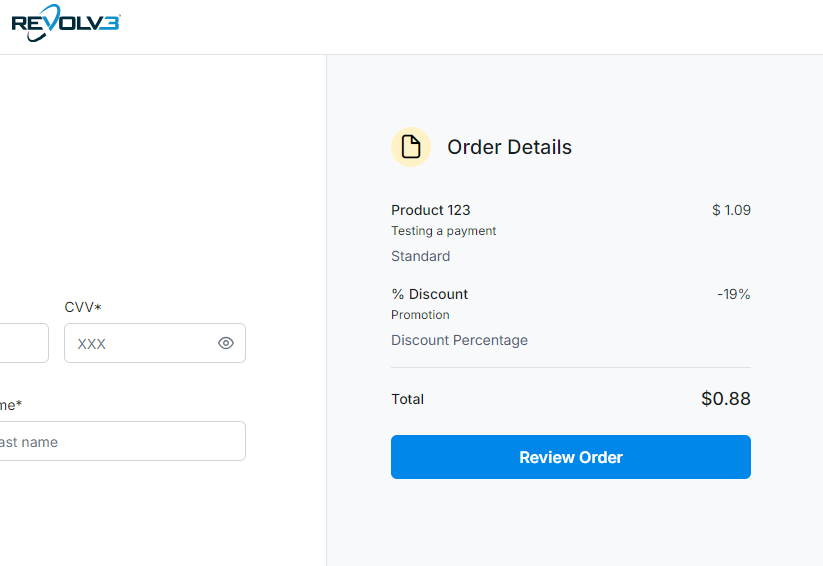
Important: For percentage discounts, use the whole number (19 = 19%), not a decimal (0.19).
Price Override
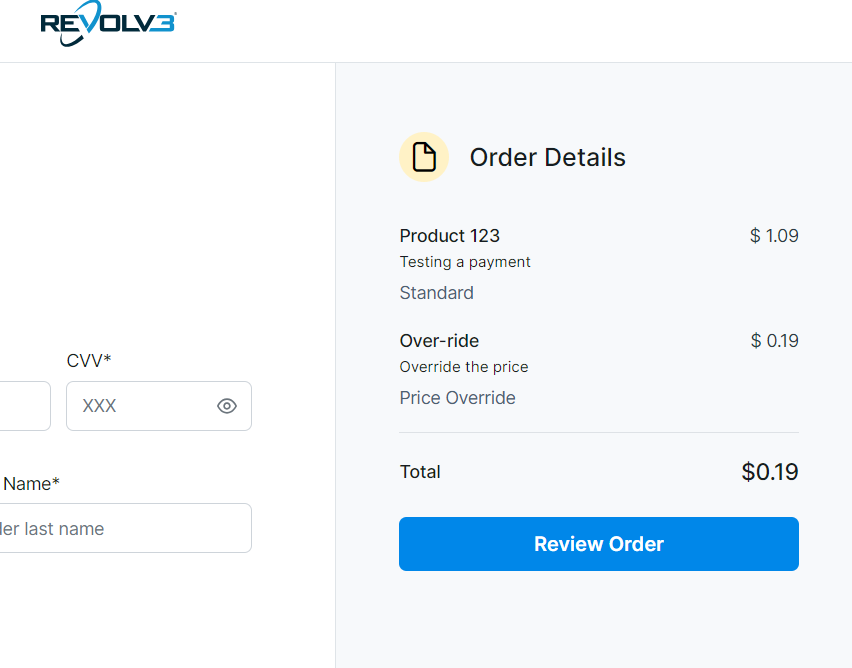
PriceOverride sets a specific final price, ignoring all other line item values.Example: Override to Specific Price
- Product 123: $1.09 (ignored)
- Over-ride: $0.19 (this becomes the final price)
- Total: $0.19
- Product 123: $1.09 (may be shown but doesn’t affect total)
- Over-ride: $0.19
- Total: $0.19
Final Discount (Subscriptions Only)
FinalDiscount applies a discount to the final payment in a subscription. This is only available for subscription checkouts.Feature StatusFinalDiscount for subscriptions is coming soon. This value type will be implemented for future subscription checkout pages.
Real-World Examples
Example 1: E-Commerce Order
Scenario: Product with shipping and taxExample 2: Product with Promotional Discount
Scenario: $100 product with $10 offExample 3: Percentage Off Sale
Scenario: $50 product with 20% offBest Practices
- Use clear names: Make line item names descriptive so customers understand charges
- Order matters: List items in a logical order (products, then discounts, then totals)
- Test calculations: Verify that line items add up to the expected total
- Handle overrides carefully: PriceOverride ignores everything else—use sparingly
- Be transparent: Show customers what they’re paying for
Common Questions
Q: What’s the difference between Discount and DiscountPercentage? A:Discount is a fixed dollar amount (e.g., $5 off). DiscountPercentage is a percentage (e.g., 10% off).
Q: Can I combine multiple discounts?
A: Yes, you can have multiple discount line items. They’ll be applied in the order they appear.
Q: What if I use PriceOverride with other items?
A: PriceOverride sets the final price and ignores all other line items. Only the override amount matters.
Q: How are percentages calculated?
A: Percentage discounts are typically calculated on the subtotal (sum of Standard items) before other discounts.
Q: Can I use line items for subscriptions?
A: Yes, subscriptions can have line items on the invoices they generate. See subscription documentation for details.
Next Steps
- Hosted Page — See how line items appear on hosted checkout
- Embedded Checkout — Learn about embedded checkout with line items
- Checkout Overview — Return to checkout overview