

Authentication Overview
Revolv3 authenticates API requests using thex-revolv3-token header. The value sent in that header is your Developer Static Token.
For current integrations, this is the recommended authentication method.
Some existing merchants still use legacy authentication flows. Those flows are not recommended for new implementations. If you maintain a legacy setup and need details or migration guidance, contact Revolv3 support through the portal help icon.
Where to Find Your Static Token
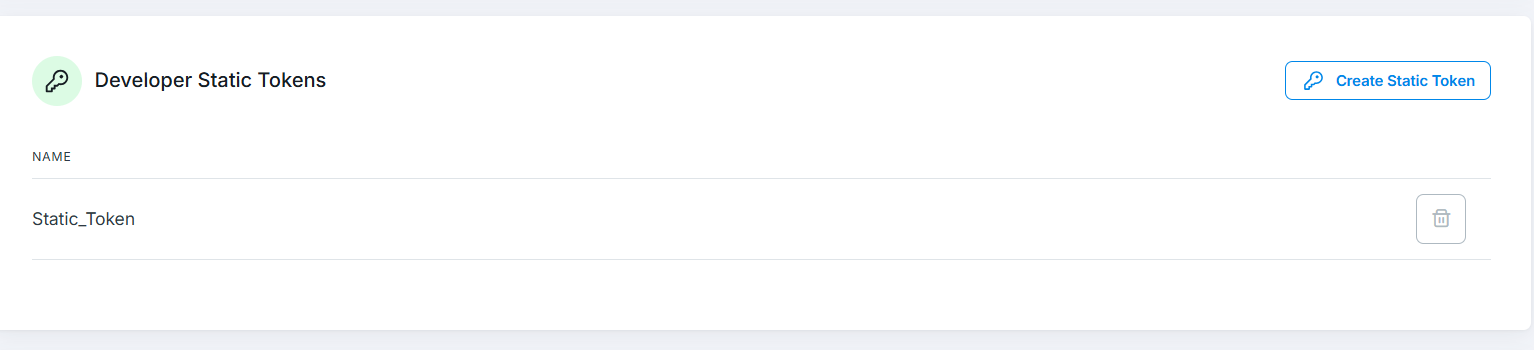
Create and manage static tokens in the Revolv3 portal under: Settings -> Integration Profile -> Developer Static Tokens Use the portal that matches your environment:Sandbox and production credentials are separate. Do not use a sandbox token in production or a production token in sandbox.
Get Your Token from the Portal
- Sign in to the correct portal
- Go to Settings -> Integration Profile
- Find Developer Static Tokens
- Create a token or copy an existing token
- Store it securely
Required Headers
Include these headers on authenticated API requests:
Headers such as
Host and Content-Length are normally set automatically by your HTTP client.
Example Request
ReplaceYOUR_SANDBOX_STATIC_TOKEN with your actual token. When moving to production, switch both the token and the API host.
Postman Example
In Postman, add the token in the Headers tab: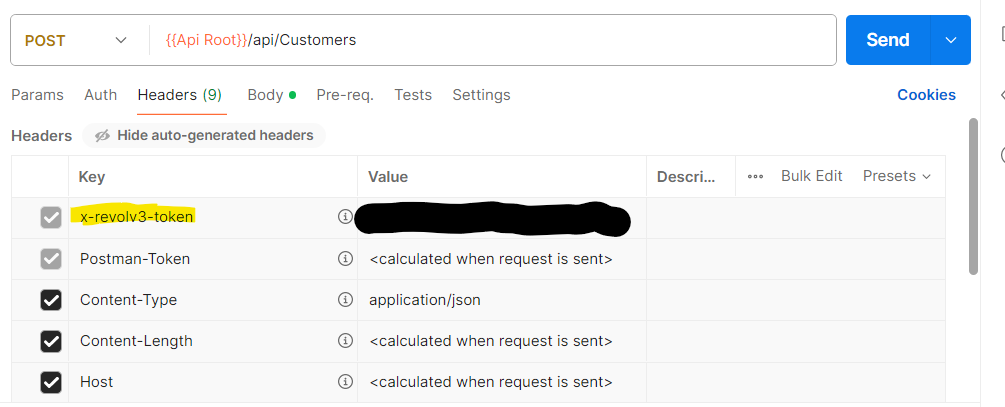
- Add
x-revolv3-tokenwith your static token as the value - Add
Content-Type: application/json - Optionally add
Accept: application/json
Legacy Authentication
Some older integrations use a legacy bearer-token flow instead of static tokens.- This flow is deprecated
- New integrations should not use it
- Existing legacy integrations should contact Revolv3 support for details or migration guidance
Security Best Practices
- Store tokens in environment variables or a secrets manager
- Never embed tokens in frontend or mobile code
- Never commit tokens to source control
- Never log full token values
- Keep separate sandbox and production credentials
- Rotate tokens using a staged deployment process
Common Authentication Errors
401 Unauthorized
Common causes:- Missing
x-revolv3-token - Invalid token value
- Sandbox token used against production, or vice versa
”Attempted to perform an unauthorized operation”
This usually means the credential was accepted, but it does not have permission for the requested operation.415 Unsupported Media Type
This usually meansContent-Type: application/json is missing or incorrect on a JSON request.
When contacting support, include:
- request timestamp
- target environment
- request path
- server-side request headers
- redacted request body
Next Steps
- Getting Started with Revolv3 -> Start your first integration flow
- Make a Payment -> Use your token in a real API request
- Security Best Practices -> Protect credentials in production